Your code
Your phone. Your places. Your rules.
Unlupa turns distracting apps off with one tap. They only open again with your own QR code. And where it hangs is up to you.

7 days free, then €15 once. No subscription.
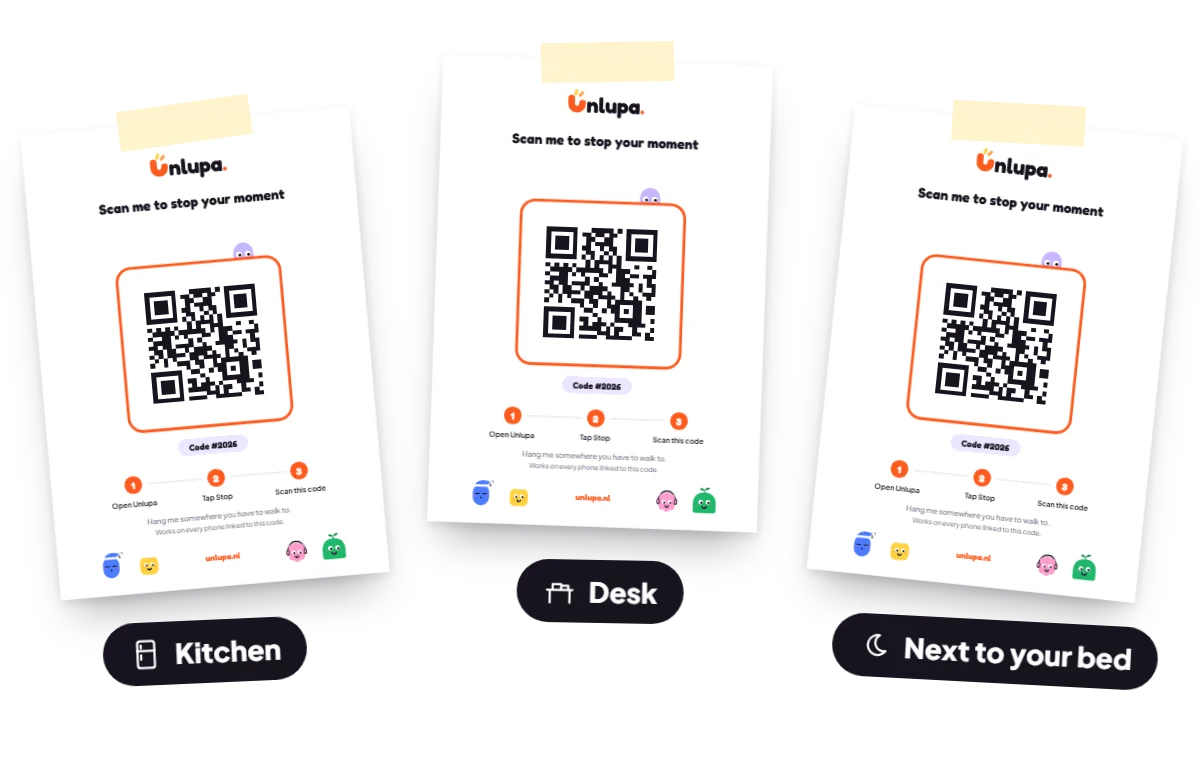
One code, as many places as you like
Your Unlupa code is a QR code the app makes for you. Print it as often as you like: on the fridge for dinner, on your desk for work time, by your bed for the night. Every print works. An extra print costs nothing, and you don’t need to buy an extra device.
It is always the same code. So you never have to remember which one hangs where.
 KitchenDinner without a screen. Whoever wants to scroll gets up first.
 DeskWork time without distractions. Your code hangs by the coffee.
 Next to your bedSleep without scrolling. The further from your pillow, the better.
Lost or torn? Print a new one
A piece of paper can get lost. No problem: you print it again from the app, on any printer. You can do that while Unlupa is off. That way you can’t print your code halfway through a moment and scan it right away.
TipPrint it twice right away. One to hang up, one as a spare in a drawer. Or put it on an NFC sticker as well.
And if you are stuck anyway:
- A moment with an end time stops by itself.
- Another phone linked to your code shows the same code, as long as Unlupa is off there.
- Under Advanced you can switch on an emergency button beforehand.
Rather tap than scan?
Put your code on your own NFC sticker or card, for example NTAG213 or NTAG215, from about one euro. Tap your phone against it and you’re done.
One code for the whole house
Link every phone in the house to the same code, iPhone and Android mixed. One card on the fridge, and everyone walks to it. Each phone does need its own Unlupa.
Questions about your code
Can I use several QR codes?
Yes, in the sense that you can print your code as often as you like. Hang one in the kitchen, on your desk and by your bed: every print works. It is always the same code, though. Different codes per phone are not possible.
Does an extra QR code cost money?
No. Printing it and putting it on an NFC sticker are free. You only pay once for Unlupa itself.
Can I print my QR code again?
Yes, as often as you like, from the app. You can do that while Unlupa is off. Want a completely new code, for example because someone else has it? Then make a new one. Your old prints and NFC stickers stop working, and you link other phones again.
Do I need special hardware?
No. A printed QR code works fine. An NFC sticker is possible, but not needed.
What does Unlupa cost?
7 days free, then €15 once (€14.99 in the App Store). No subscription, and nothing is ever charged automatically.
Can I use Unlupa on several phones?
Yes. Everyone in the house can link their phone to the same code, iPhone and Android mixed. Each phone does need its own purchase. You restore your own purchase on a new phone with the same Google account or Apple ID.
What is the difference with a device like Tap Out or Brick?
With a device you buy a physical key. With Unlupa you print your own QR code, as often and wherever you like, and you start with one tap on your phone. For a big family a device can actually be the cheaper option. Read the honest comparison.
What does it cost?
Try it free for 7 days. Then €15 once, for good (€14.99 in the App Store). No subscription. How many codes you print makes no difference to the price.